
3.1 Introduction
Websites are a daily part of online usage.
Even if a user is only accessing their social media platforms, they are still using a website. The main focus of Module 3 is on website design. Included within this module will be topics including website basics, such as what a website, webpage, server and HTML are, as well as the different types.
Following this, will be a brief description of web design, before going into detail about how to create an effective site. It will then overview a number of pre-launch considerations and conclude by discussing how to market the website once it has gone live.
3.2 What is a website?
A website can best be defined as a combined group of web pages that is available on at least one public web server. It is identified by a domain name and can include a variety of contents, such as text, video, images and other media.
Websites can be for personal, company and/or industry, government, and not-for-profit purposes and are usually related to a specific topic or objective, such as news, education, or entertainment.
They can be designed by individuals or businesses. It is the collection of public websites that makes up what is known as the World Wide Web, while the intranet is where private websites can be found. An example of a private website would be a company's internal online presence.
The first websites were designed in the early 1980s, although they were not made public until a decade later. When they were first released, they consisted of nothing but text. However, as technology has developed the addition of other forms of media, such as video, audio and images were also included. But why do websites exist?
Generally speaking, there are two main purposes for why a user would want to access a website. These are: to access information, or to complete a task. Accessing information refers to the act of locating material on a particular topic, such as current or historical events, a food item or animal, or to learn about digital marketing. Students and individuals who are just curious about a subject are usually the ones accessing websites for this purpose. But it can also include searching for the location of a shop or restaurant. Using the internet as a means of completing a task usually relates to a user wanting to shop online, download a program, or check their email.
3.3 What is a web page?
 In order to have a website, there needs to be a series of pages that link together. It is these separate pages that make up the collection of individual web pages that, when combined, form a website. By definition, a web page is the document, or page, that is displayed on the browser, as part of a broader website.
It's what comes up when a web address, or link is selected by a user, but can also be the results listing of a search engine. It is usually comprised of HTML (which will briefly be defined below), and can be made up of text, a variety of designs and styles, and visuals (such as audio, images or photographs, and video, for example).
3.4 What is a web server?
Now that an understanding of websites and pages has been established, it is important to understand what a web server is.
 A web server is the website's host on the internet. The server is a computer itself, which functions to make a website available to either the public, or through a private intranet. A web server can host a single website or a number of them. The term hosting, when related to web servers, refers to each of the web pages and their included media found within a particular website or sites, which is available on the web server's computer.
The server works by sending the requested web page from a website to a user's browser, with the browser being the entity in which a user can view the web page or site. But keep in mind that there is a very distinct difference between web sites and servers.
The website, as noted above, is the host of the web pages, while the web server is the host of the website. If a website is not responding or appears to be inaccessible, it is likely a reaction to the server itself being down. In other words, a website cannot malfunction, but rather it is the hosting server that is failing to respond to the users request to access it. This breakdown in server can be caused by several factors including: configuration or hardware errors, network issues, overheating or a system overload.
3.5 HTML and URL
A few important components of website and page terminology that are frequently used can be found in the form of two widely recognised acronyms: HTML and URL.
HTML stands for Hypertext Mark-up Language. This is the text, or language, used to create a web page and any of its applications. HTML works as a code that communicates the content of the webpage, or website more broadly, to the server, and eventually to the user's browser. This coding works by placing tags that translate into text, images, or other visual characteristics of the web page. In other words, HTML is a language, and the tags are the instructions provided to the browser in order for a user to view the website.
A URL is the address that is linked to the webpage. URL is the acronym for Uniform Resource Locator. The main web address takes a user to the home page (or the main page of the website), while the linked websites are located through the extended addresses of the main site. For example,
3.6 Types of websites
There are a variety of website types. These relate to the theme or purpose of the overall website, rather than a specific page or two.
Some of these website topics include:
-Archive
-Blog
-Brand-building
-Crowdsourcing
-Corporate
-Gallery
-Government
-Gaming or gambling
-News
-Search engine
-Social networking
-Webmail
Some websites require special permissions - even though they are found within the public domain – in order to access specific web pages or content. These special permissions are usually in the form of a registration process. Sites that tend to require this type of access include academic journals, email, message boards, news media, and social networking. Depending on the criteria for registration the process can either be free, or be accompanied by some form of a subscription fee.
3.7 Websites as an effective marketing tool: the good and the bad
Before getting into the details of website design, it might be worthwhile to consider how having an online presence can either boost or hurt a business.
 This section will outline some of the pros and cons of having a website. Websites are used as the basis for many aspects of decision making nowadays. As indicated in the previous module, one of the reasons a customer might visit the internet is to research products and services prior to making a purchase.
By having a company or brand website, it helps the business to build a professional online presence or reputation also increasing trustworthiness and rapport with a potential customer.
Interacting with customers
Another positive aspect of having a corporate website is that they are good for interacting with customers, as well as networking. By allowing a user to view a website about a product, brand or service, it allows them to better understand what the company is about. It also provides a line of communication between the business and their customers. If the customer's experience is a particularly good one, it also makes it easier for them to share this with the online community. This helps to grow the business through what is referred to as electronic word of mouth.
Reduce working hours

Websites can help reduce working hours - saving time and money! Since the website will likely outline details of the company, its products and/or services, it will reduce the amount of time required for customer service agents to handle consumer inquiries. When this becomes the case, there is less need to staff representatives of the company for extended hours of operation.
Apart from the above positive aspects of having a website, there are a few disadvantages to consider. The first relates to website traffic. If traffic is low, sales too will be low. This is because there is a direct correlation between sales and traffic. It is for this reason that having a well-designed website is crucial.
Design
Another consideration is that some customers might find the online presence impersonal. Although this is a relatively a small proportion, it is still worth considering. By making sure the website is designed well, also making it easy to communicate with the company itself, it can help to reduce this perception. This can be achieved by providing multiple options to contact the company, such as an email address or phone number.
Finally, management of a website is key. If there is a lot of customisation involved (to be discussed further on in this module), it can become quite costly. It can also lead to poor traffic flows, especially if there are issues with its design. Remember, if it doesn't show up in web searches, it will lead to limited traffic.
3.8 What is web design?
 Moving on from website basics, it is now important to explain web design. The next few sections will define web design itself, before outlining the various aspects that are involved with creating a website.
Web design is an umbrella term that covers the skills and components required to build a website. It also involves the maintenance of the site. In other words, it's the design process of a website, which includes a variety of components from graphic design, to authoring, to standardized coding, to user experience and SEO, just to name a few.
However, there are websites that are designed to help inexperienced users build their own site (this will be discussed in the following section) People or groups that designs websites are called web designers. Web designers must have the required skills to create a website that is user-friendly, while also being expected to keep the site up-to-date. The web designer is the person in control of all aspects of how the website looks and functions.
Activity 1
Estimated Time: 15 minutes
Assessing the design of websites.
To help identify the value of a website as part of a digital marketing strategy.
Head to your computer and begin searching a variety of websites. These can be corporate or news sites, as well as personal websites, such as blogs. Try to look at around 5 websites, although you can choose to view more or less. Take a few minutes to go through each website thoroughly.
When you feel you have a good sense of each site, consider the following questions:
· What was your initial reaction to each site? Were they easy to navigate? Visually appealing? Busy?
· Of the sites you reviewed, what struck you as the best elements of each?
· Was there one site that stood out amongst the others as being the best? The worst Why do you think that was?
· What was the purpose of each of the sites you visited? Was it obvious or did it take some time to determine that?
· Did the theme of each website flow throughout each page?
· Were there any areas that were lacking information or that could have been better thought out?
By completing this exercise, you will better understand the importance of a well-designed website, including ease of navigation, consistency of content, and overall appearance. It should also enable you to decipher the various elements discussed throughout Module 3.
3.9 Getting started
Setting up a website involves a lot of thought and decision-making. These considerations include the theme of the site, how it will look, who it will target, and what it will be called. This is called a branding strategy, and it's important to take the time to develop this, as it will determine the kind of website required as well as what will be included within it. It is also during this time that a competitor analysis should be conducted, in order to see whether or not there is space within the specific market for the website.
After having a brainstorming session about the general idea behind the website, one of the most important decisions required from the start is deciding what platform will be used and whether or not the site should be customized. There are a number of web-building platforms available online. These platforms offer a range of services, from free web-building services to professional design.
Some of the available platforms include:
 Light CMS
Squarespace
Tumblr
Webflow
Weebly
Wix
WordPress
In addition to these, there are also a number of web hosts, such as GoDaddy and Bluehost. These offer a variety of products, from domain ownership, to website design, to full-scale business web services.
Which platform
One of the considerations of which platform is selected relates to customization. The customization of a website is when there are specific features that go beyond what is offered in many of the free web building websites.
While they can help to boost the level of professionalism of the site - particularly if the person setting it up has little to no experience or is uninterested in this activity - it is quite unnecessary.
The customization can become costly, and because the do-it-yourself sites provide such a wide variety of options, paying for something that won't make a great deal of difference to the user doesn't make sense, financially or strategically. And, this is exactly the benefit of using one of these platforms - they guide the user through the process while eliminating the need for someone without experience to dabble in the more technical aspects.
Regardless of which platform is selected, if it is decided that the website will be self-built either by an individual, or by a staff member or members of a company, the only things that really require payment are for the domain name and hosting. However, some of the above platforms offer free web hosting. The bottom line is, the most important decision at play is what will work best for the business, brand, or topic of the website.
After the overview of the website and branding strategy have been thought out, but before the website gets underway, it is also important to select the domain name. The domain name is the name given to the website. Think of it as the equivalent of registering a business. The domain name is the bit that goes between the 'www.' and the '.com' of the URL. This should reflect the website itself, meaning the topic, or the company or brand name that the site will focus on.
FACT
WordPress.org is the world's most popular website building platform. 38.03% market share among top 10 thousand sites and a 35.94% market share among top 100 thousand sites on the internet are powered by WordPress.
Source: google .com
3.10 Content
Once the main topic or theme of the site has been determined, and the platform and domain name have been selected, it's time to start building.
This involves three detailed components - the first of which is the content of the website. Website content involves the substance of what will be discussed throughout the entire site, as well as on each web page. This is where the branding strategy comes in handy, as it should have indicated the goals of the site, as well as which topics, exactly, are to be discussed. One way to organise the content is by identifying which aspects are static and which are dynamic.
Static contents
Static contents are things that are likely to remain the same, regardless of what is added or removed from the site. Examples of static content include information about the company, its goals and objectives or mission statement, as well as the website's privacy policy and terms and conditions.
Dynamic contents
Dynamic contents include things that will be continually changing, such as if there will be a subscription or login process, or user searches conducted within the website. This exercise will help to determine how certain aspects of the content should be placed, as well as understanding the overall functionality of the website.
During the process of establishing content, it can be beneficial to browse competing websites, if this has not been completed previously. By doing so, the web designer can identify gaps in the available material, providing an opportunity to add this missing information to the new site. This can lead to improving the site's niche presence, as well as setting it apart from the competition. It is at this point that it is important to identify what needs to be completed. This includes determining whether or not the skills required are already in-house or need to be sourced from elsewhere, along with securing the right technology, budgetary and time requirements needed to get the website off the ground.
The final step related to this section, is to organise all of the website's content. This will help to set up the structure of the site. The use of content templates is often helpful at this stage, as they are designed to help identify and place the necessary information required for each page of the site.
3.11 Structure
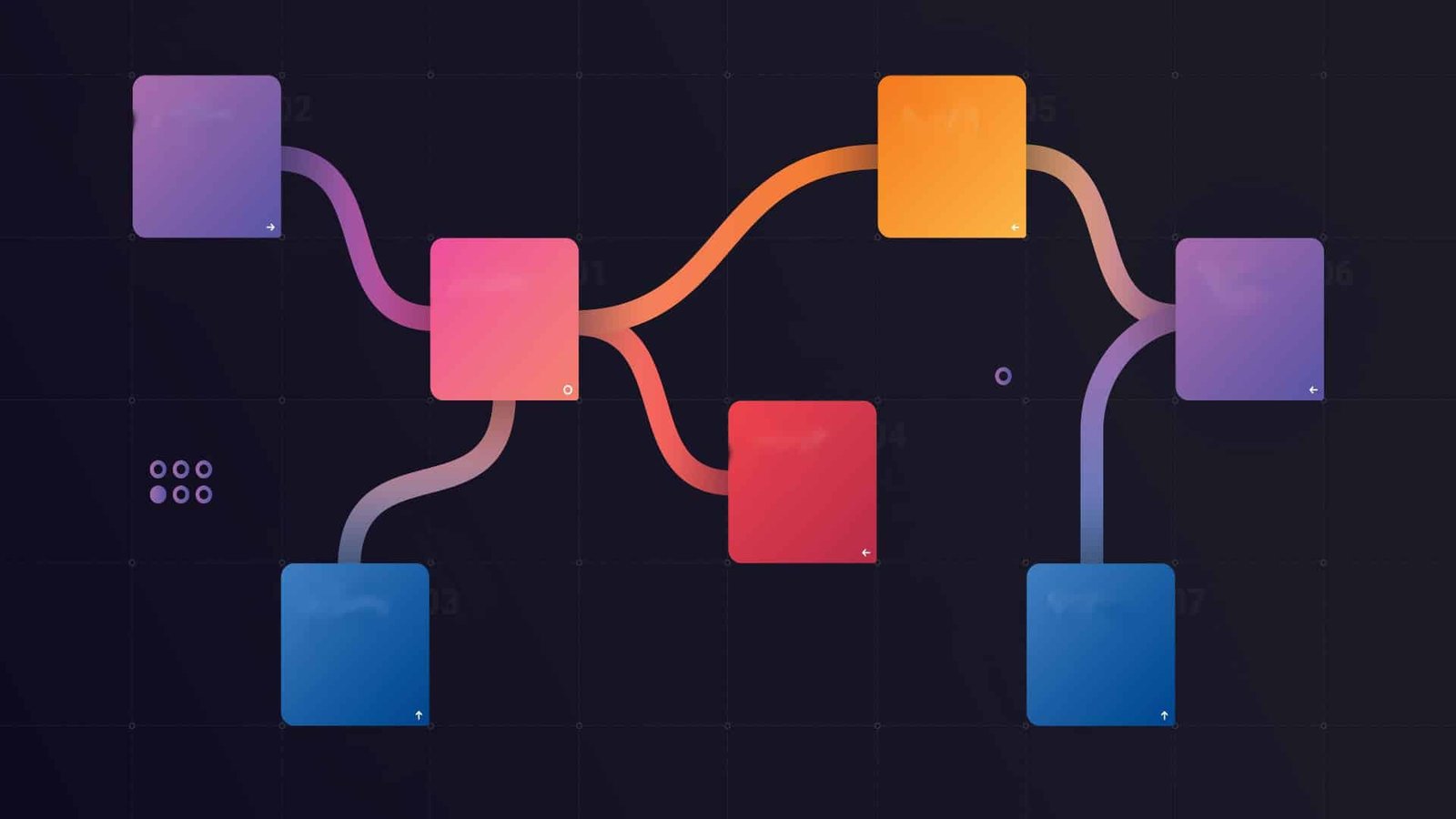
The second detailed component of building a website is its structure. This relates to the navigation of the website.
To maintain a well-designed website, it is essential that it be easy to use. This means keeping it simple by limiting the number of decisions a user needs to make in order to find the information they require, as quickly as possible. A website's structure should not overcomplicate the experience or require the user to seek help.
One way to do this is to highlight the most significant pages, which will lead to smaller menus on related topics:
For example, having an 'About Us' tab or menu option as one of the highlighted topics on the main navigation bar. Once this has been selected the user can choose from a number of related options which are directly linked to the overall topic of the user's selection. In other words, included within the 'About Us' menu, might be company history, mission statement, board of directors, etc. This gives the website a cleaner appearance overall.
This need for limited options is key to a successful website. One way to limit these selections is by developing a sort of hierarchical map that will serve as the skeleton, or organisation, of the website. This will also enable a web designer to be able to visualise each component of the website's contents, making the implementation of the structure much easier. The items or themes at the top of the hierarchy become the highlighted menu options, with the downward βlowing topics falling within the sub-menus. As previously discussed, it is best to keep these to a minimum. It is general practice to have about five options as part of the main navigation menu.
3.12 Design

The final major component involved with setting up a website is its design. While this might be the part most people think of in terms of website building, this is actually the last element to be considered - although it should have been included in the branding strategy. When it comes to the design, or look, of the website, the same idea behind the structure is true – keep it simple.
Avoid using multiple colors, flashy backgrounds, or excessive banners and other such elements. In other words, less is more.
The website's design should also align well with its structure, meaning the style should emphasize the theme and its contents. It is equally important that it be consistent, such as the style, font, color, etc. If this is out of balance, then it can also take away from the contents of the website, which can potentially lead to lower or undesirable levels of traffic.
Readability
Similar to the style and color choices of the website, it is also important to consider the readability of the content. Here the same rule of thumb applies - simple is best. This means, rather than having multiple columns or areas where there is information, it should be kept to a minimum. It is suggested that having only one or two columns can lead to better results. This is because it reduces the perception that the site is visually busy or untrustworthy.
Positioning
Positioning of the contents of the website is also important. This refers to the information, or text, of the website, but also any other media, such as images or video. It also relates to items such as logos, sidebars, and titles, which are all key elements of a professional-looking website. Ensuring this is done in an easy-to-navigate way, while also keeping the appearance clean, can have positive effects on the site's traffic. To help with the website's position, or layout, using one of the free services offered within many of the web-builder platforms can be of benefit. Once all of this is complete, it is time to prepare to launch the website.
3.13 Mobile devices
 Before going into the pre-launch information, there is one additional consideration related to the design of a website - accounting for mobile use. As the use of mobile phones and tablets continues to increase as a means of accessing the internet, it is important to ensure that a website is compatible for these types of devices.
Just like the suggestions in the structure and design sections of website building, it is recommended that the accompanying mobile sites are also kept simple. This suggested simplicity is implied for both the visual, or design of the mobile site, as well as its navigation. In fact, mobile sites should almost be even more simplified than a regular website, because it is viewed on smaller screens, and users tend to be searching for specific items, rather than just browsing.
Additionally, having flashy elements on a mobile site, such as video or animated graphics, is data-heavy, which can be of some concern to users who are not connected to Wi-Fi. Another general consideration to take into account with mobile devices and tablets, is the size of the screen. It is essential that the design of these altered websites still functions properly. This means adjusting the content to fit the size of the screen. Again, this can also be handled when using one of the previously listed web design platforms.
Finally, depending on the content of the website, it might be useful to consider turning the site into an app instead of altering the configurations of it to fit a smaller screen. This also limits the content available, while highlighting what is most important for a user to easily access. Creating an app involves an entirely different process, but can easily be done with the help of a specialized web designer. This is not always a necessary step, but may help bring additional traffic and customer loyalty, especially if the website or company is offering a product or service. Banks, loyalty schemes, and news outlets have all benefited from this option.
3.14 Pre-launch checks
It's soon time to launch the website - making it public. But before this happens there are a few steps that remain. These final steps are intended to ensure the quality and consistent flow of its contents is seamless.
Grammar and spelling
The first item on the checklist is to scrutinise the grammar and spelling of all the content within the site. It is also important to check for flow and clarity, to ensure the user will easily be able to read the information provided on each page. Check to make sure all images appear as intended and that the links lead to the correct destination. After this has been complete, it is time to move on to the testing phase.
Testing
Testing the site is an important step before making the website public. Test runs help to assess the usability or ease of the site's navigation, as well as the clarity of the content and its overall appearance. One way to conduct a trial of the website is to involve friends, family, and/or colleagues.
In doing so they can help to provide useful feedback, as well as potentially identifying any errors that the web designer may have missed (remember web designers are human too, so it's easy to miss small things like errors in grammar, for example). It is essential that feedback of any kind be encouraged, especially critical or constructive responses.
This will help to understand the varied perspectives of the website's audience - even if the targeted demographic is relatively limited or well-defined. Once this feedback has been received it is important to implement the suggestions that have been identified. However, not all of the information provided needs to be included in the final product. Try to focus on the items that will likely have the biggest impacts on the website's value. After the testing phase has been completed, it's time for a final check. If everything appears as desired and all aspects are functioning properly then it's time to launch the site.
Activity 2
Estimated Time: 15 minutes
Investigating mobile website functionality. To critically look at how website design translates to the mobile device platform. The exercise requires you to use your smartphone or tablet. Open up the web browser on your mobile device or tablet. Either do a random search of websites or visit pages you have viewed previously. You can view as few or as many sites as you like, however, it is recommended to observe at least 5. After spending a few minutes looking at each site, consider the questions below: Of the sites you selected, were any not mobile or tablet friendly? How did this impact your experience? Were they easy or difβicult to navigate?
For the sites that were designed to be viewed on a mobile device or tablet, did it feel like you were getting the full user experience?
Was anything missing, such as menu options or information that might have been found on the regular website?
Did any of them prompt you to download an app?If so, did you feel there was a value in doing so? If not, do you think the website or company could have benefited from developing one?
The purpose of this exercise is to have you look critically at how websites are designed to function on smaller devices, such as mobile phones and tablets. After completing this exercise, you should be able to identify the differences between a regular website, and those adapted for these other types of devices.
3.15 Marketing the website

It's the moment of truth - the website is now public. But even though it has launched it doesn't mean users will automatically start to access it. Ensuring the website receives traffic flow comes down to marketing. Module 2 discussed two methods of gaining circulation - SEO and SEM. But there are other methods of keeping the website fresh and engaging to users.
These include:
-Submitting the website to specific search engines, such as Google, Yahoo!, or Bing. This is not a necessary step, as it will likely find its way to the results of the search engines if coded properly. However, it can help it to show up more quickly.
-Consider promoting the website. This can be done through sponsored listings, or using SEM strategies, but can also be done through word-of-mouth, news sites, blogs, or other online campaigns and sources.
-Adding features to the website that maintains the interest, or engagement, of the intended viewer, such as implementing a blog, or setting up a subscribers' newsletter.
These are only a few of the ways in which a company can promote its website. However, these are not exclusively for newly launched websites. These same suggestions can also help boost the traffic of already-existing sites, as well.
Module Summary
The main topic of Module 3 was on building a website. Throughout the sections, several discussions took place in order to provide a thorough understanding of the subject matter. This was handled by first identifying the differences between websites, web pages, and web servers. Definitions of HTML and URLs were also provided at the onset of this module, as well as a brief overview of the types of websites, before outlining how using one can benefit or potentially harm the reputation of a company. Once this foundational discussion was complete, the module moved on to consider how a website is built, or designed. This included first defining web design itself, followed
by a section on what is required prior to getting started. Next, the three main components of website design were reviewed in detail - these being the content, structure and design of the website. The subsequent section examined the impact of the recent rise in mobile devices and tablets as a means of accessing the internet, in relation to website design. Finally, the module concluded by discussing what is involved in pre-launch test runs, and how to market the website once it has been made public. Each of these sections should have provided a thorough understanding of the subject matter.
.svg)



