
1.1 Introduction
The importance of typing in today's employment market cannot be underestimated. A huge number of jobs require at least basic typing ability, and being more efΫicient with keyboard skills puts you at a huge advantage with regard to how much content you can output in a day.
Many office workers and managers use redundant methods of typing that are not only ineffective but cumulatively waste large amounts of time and energy. With the continuing ubiquity of the internet and information technology, schools are teaching children the importance of typing from an earlier age to stand them in good stead for embracing and flourishing in the ever-growing digital world. Learning to improve your typing skills today is a sound investment in yourself and your future career.
Fact
The first draft on a 10,000 word document, written by a touch typist would cost £21 (based on the average UK salary for an office administrator of £8.15).
The same document typed using 'hunt & pack' methods would cost £46 to produce, more than double the cost.
Source: Payscale.com
1.2 The History of Typing

Did you know that keyboards have been around for over 150 years?
In our modern age, keyboards are the most used computing device in the world, something that has become an essential element of our lives. The keyboards we use today are a far cry from the original keyboards. The first instance of typing devices in human history were concepts for machines patented in the 1700s, although the first typing devices were not available until 1866, when mechanical engineer Christopher Sholes of Pennsylvania, USA invented the first typeable machine, the original typewriter and the first ancestor of our modern keyboards.
The First Typewriters
On Christopher Sholes' machine, the original keyboard layout was alphabetic (starting with A,B,C, etc.) Each key was connected to a metal arm that would be launched upon pressing the button, hitting a roll of paper and printing the letter in ink on it. The manufacturers realised that when keys were pressed too quickly after one another they had the
tendency to get jammed. Because of the alphabetic keyboard layout there was a great likelihood that keys close to each other would be pressed.
1.3 The Origin of the QWERTY keyboard
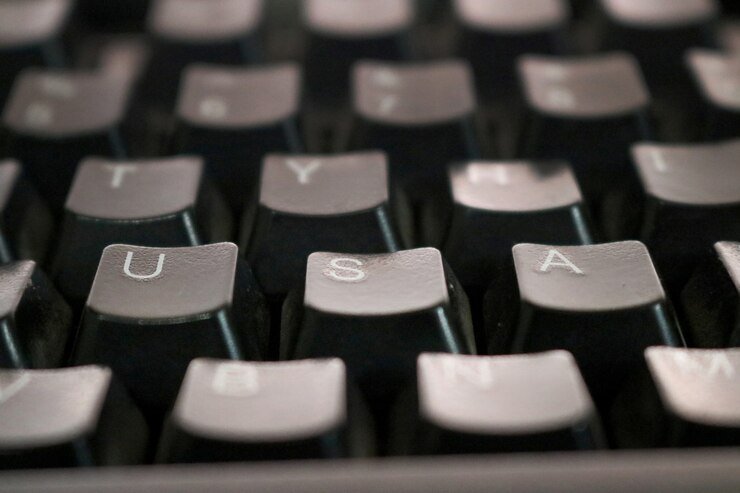
An associate of Sholes offered a solution to this predicament: place the commonly associated keys far away from each other on the keyboard so that users would be slower at typing. The thinking was you would never use the letters 'Q' then 'W', for example, so with this intentionally inefficient design, the QWERTY keyboard was born and released for sale to the public by Remington on July 1, 1874.
The first iteration of the typewriter was not a commercial success, being sold at $125, a lot of money in those days making it an exclusive purchase, and was known to break often, much to the annoyance of users.
Even though many people believe that the QWERTY keyboard is an inefficient design, it is still the most widely used manifestation of the keyboard today that millions of users have learnt, even though it was developed to be slow! But despite its inefficiencies we have become very used to its layout and the construction of words using the letter order presented. In fact, trying to learn a new layout, even for those brand new to touch typing, seems to be much harder.
Keeping QWERTY
Biologist Rupert Sheldrake popularised the idea of morphic resonance and morphogenetic fields, the concept that all living beings are connected with an invisible network of consciousness that acts as a collective body of knowledge. Sheldrake proposed that if such fields are real, people would find it easier to use QWERTY keyboards, rather than logically ordered keyboard layouts, because they have been used far more and so the knowledge of their use would be easier for others to access it from this field of collective knowledge (also popularised by the famous analytical psychologist Carl Jung). Experiments found that the QWERTY keyboard is indeed easier to learn than an alphabetical one, even though conventional knowledge would presume the opposite to be true.
Learning QWERTY
The first step in getting to grips with the fundamentals of touch typing is learning the layout of the keyboard off the top of your head. There needs to be a co-ordination of fingers and brain which is gradually built up. Much like learning the alphabet as a child, this new alphabet needs to be learned. Later the letters are assigned to specific fingers but starting with the basic letter order will help create the functional storage areas in the brain for the new information. The brain has an incredible flexibility and adaptability which can be massively enhanced by learning new ideas and practical methods in stages.
Activity: The Qwertybet
Estimated time: 5 minutes+
Breaking the keyboard down into the three main rows of letters, learn them in order (ignore punctuation marks and other special characters for now).
Say the following letters out loud:
Q W E R T Y U I O P
A S D F G H J K L
Z X C V B N M
Say the three rows of letters out loud 5 more times
Now say them one row at a time with your eyes closed
Open your eyes to check if you get stuck
Keep practising until you can say each row without looking
Now try the whole Qwertybet:
Q W E R T Y U I O P A S D F G H J K L Z X C V B N M
Practise until you can say it without looking!
1.4 Typewriting Technology

The earliest typewriters resembled sewing machines, rectangular black boxes with ornate designs on them that even included foot pedals to control the machine. This was most likely because their maker, Remington, also manufactured sewing machines. In 1978 Remington released the second version of their typewriter, the aptly named Remington 2.
From this point onwards, with some help from some marketing experts, Remington made typewriters a commercial success. After this design, a more user-friendly desktop variation of the machine was created; though it was still a heavy object, it looked much more like the typewriters modern writers are familiar with.
IBM's Selectric Typewriter
In 1910 typewriters became standardised in appearance for the following decades, until in 1961 when IBM released the Selectric typewriter. The Selectric typewriter required being plugged into the mains and utilised spherical typing reels with embossed stamps of letters and characters.
These were humorously called 'typeballs,' which rotated around to print the right letter on the page. The Selectric was a huge technological leap from the use of piano type keys, hugely increasing the speed of typing, and therefore their effectiveness and productive capability. Typeballs could be removed and replaced with balls displaying other fonts, widening innovation in the typing world even more.
The Selectric was still a heavy piece of equipment, far from lightweight and portable, but it received widespread acceptance nonetheless, becoming the most commercially successful electronic typewriter in history, used by many celebrated authors including Isaac Asimov, Hunter S. Thompson, David Sedaris, William S. Burroughs and the legendary Philip K. Dick. In the decades after the 60's, the widespread use of the Selectric paved the way in the mass consciousness for the use of the modern computer keyboard.
Typing Enters the Computer Age
The first computers that utilised a keyboard were created before the Selectrics, but they were not widely used by the public until the 1970s, and even then they were not common household objects. In the mid 70's the first ever commercially available computers arrived, the Altair and the Imsai, which were characterised by having no hard drive or other way of saving data, and no keyboard!
If users wanted to type on these machines they had to get a Selectric or other typewriter keyboard converted to be used with their new space age computers. In the late 1970's, computer companies like Apple and Commodore released the first personal computers that came with keyboards as standard.
In the 1980's IBM released the renowned model M keyboard which was widely enjoyed by early computer users. During this decade, manufacturing keyboards began to take off as more than one company started producing them, reducing their exclusivity along with their expensive price tag. In the 1990's the internet became widely used and exploded the potential of computer users and human progress, all navigated by that more than 150 years old apparatus, the typing keyboard. Their use as a tool of human civilisation has been an integral part of our lives ever since their invention.
Nowadays, keyboards are everywhere to the point where we take them for granted, existing on handheld devices, as well as digital, non-physical, keyboards on smartphones and tablets. Can you imagine a world without the keyboard and the ability to type?
While some individuals predict the decline of keyboards due to the rise of voice recognition software, it is likely there will always be those who prefer to type, just as there are those who prefer to write by hand, and right now in our modern era typing is still very much an essential skill, one that can bring many great rewards.
Keyboards are still evolving to adapt to our physical requirements including waterproof, foldable and suitable for individuals with a disability. In the final module of this course we will look at your personal requirements to ensure you are operating at the most optimal level!
1.5 Types of Typing
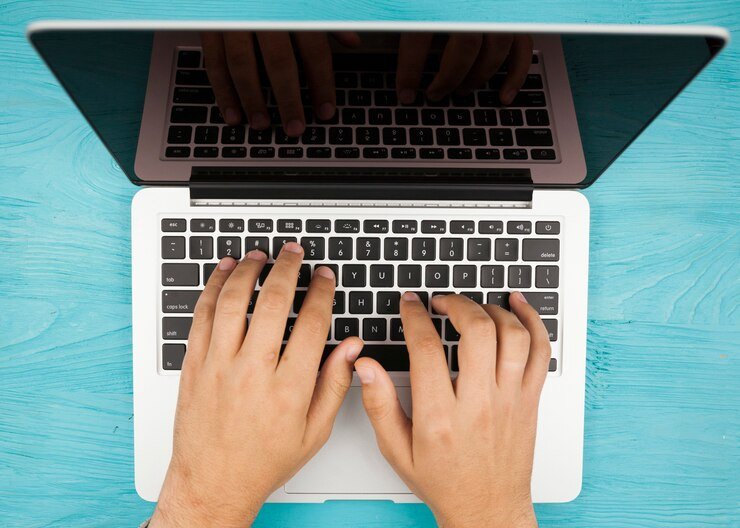
Typing is simply a method of getting information from one format, or place, to another; such as the original recording of thoughts and ideas into emails or documents. A multitude of other 'conversions' of content, typically make the communication more accessible for others to receive, e.g. converting audio voice recordings into digital documents.
Digitisation of information adds a depth to the content making it searchable, indexable, and reusable as well as many more benefits which makes the process of typing up information highly desirable. The accessibility of computers and the increase in the use of digital content means that typing is rapidly becoming the most effective way of capturing information at the point of production.
If meeting notes can be typed up during the meeting and sent out immediately afterwards there is a significant increase in the productivity of the meeting - the actions and notes are sent with a sense of urgency and immediacy that is lost if the team need to wait a few days for handwritten notes to be typed up and sent out.
Copy Typing
In the past this method of typing was used to take hand-written notes, often from a manager or other senior level and given to a secretary or passed to a typing 'pool'. Individuals would 'copy' out the handwritten scrawl and make into a legible and standardised format for sending as letters or other publishable formats. Another common use is data entry, taking less structured information, such as receipts, and entering them into a structured format, such as a database.
While this use of typing is becoming less common it is still a valuable skill as older documents are digitised and in some situations handwritten or hand-drawn information is still produced - especially for more creative work like graphic design and brainstorming. Doctors, lawyers and other less digitised and older professionals also still commonly require their work to be typed up.
While often direct in nature, i.e. word for word taking exact words from manual to digital format, there is also often a requirement for the typist to interpret notes and jargon and convert it into more formal or appropriate expression.
For example
A medical secretary might be expected to 'copy' a set of patient notes, this would involve summarising and extracting pertinent and relevant information for the role of the new document and converting some terms as required. The basic skill of copy typing can be radically enhanced with specialist knowledge and experience to make it a lucrative activity.
Transcribing
This is typically taking audio recordings and converting them into digital written text.
For example
Recordings of meetings, videos, podcasts etc., or more personal notes from one individual, such as the dictation of a letter or clinical history. This method requires the typist to use some specialised equipment and often software to be able to manipulate the speed of the audio recording, stop and start, rewind etc.
Using audio recordings as the method of input, instead of paper documents, means this style of typing is often quicker, or at least less mentally challenging. The input is through the ears, at a comfortable volume and speed and the output is through the fingers and the quality is controlled by the eyes watching the screen.
The utilisation of multiple senses means the brain is more focused and dedicates more attention to the task. Typists can enter a near trancelike state of information in and out, and quickly and accurately record information with very little conscious awareness of the subject matter. This is, in fact, a good thing as the subconscious mind processes information much quicker than the conscious mind (which is why driving gets easier as it becomes an unconscious activity of hazard perceptions and taking appropriate action).
Novel Thought
Typing your own thoughts, ideas and communications immediately into a digital format bypasses stages in the typical flow of information through the brain. While it can be much quicker, such as typing during a meeting to draft a new document etc., there is also sometimes a loss of creativity and memory of the task.
There needs to be a balance of speed, information flow and creativity and the task should be matched to the method. Capturing new ideas and problem solving is often best done on paper and these creative musings can then be typed up. When we use the hand and eyes and movement of pen on paper it activates more of the brain, which is why creativity is enhanced and more active memory is retained.
Activity: Benchmarking
Estimated time: 5 minutes+
In order to see progress, you need to know where you are at now! Take an online test to assess your speed and accuracy:
1, 3 or 5 minute typing test - take test
Take the test a couple of times to feel familiar with the environment and methods - focus on moving through the text and if you get a letter wrong just keep going and follow the on screen 'instruction' for which letter to type next (blue highlight). Record your best score. Don't worry if it seems low now, it will get much faster! You can even create an account and test yourself periodically to see how you improve.
1.6 Styles and Speed

Most adults in the workforce today have not been taught how to effectively type and instead have developed their own methods and mastery based on experience. While often quick, this is rarely efficient or accurate and is virtually always improved by methodical training and a standardised approach. There are two main styles of typing; most people fall into either one or a hybrid of the two categories plus some bonus skills which speed the process up!
Fact
The fasted recorded typing speed is 256 words per minute, so in theory you could copy type the epic War and Peace in one working week!
Source: typing.com
Hunt and Peck
Hunt and Peck typing is when users use just two fingers, typically their index fingers, to “hunt” out a key and then “peck” it. This is often associated, though not always, with older computer users who are not very computer literate, and must look for the key they want to type on the keyboard, then glance at the screen to confirm what they have written has been entered correctly, then return their gaze to the keyboard to repeat the process.
The term comes from the early typewriters which were bulky and difficult to use and of course, people were not familiar with the QWERTY layout like they are today. One of the earliest documented references to Hunt and Peck typing appears in a US newspaper from Texas called The Daily Bulletin in 1916, which discussed students learning to type with boxes covering the keyboard and their hands so they could not see what they were typing, thus learning the touch typing method.
While some people who use the Hunt and Peck approach are painfully slow, there are some users that claim to be able to type over 100 words per minute, although these advanced hunt and peckers obviously have developed a deeper knowledge of the keyboard layout.
While Hunt and Peck can seem effective and even fast, it means your eyes must rapidly move around between the keyboard and the screen which prevents the maximum flow of information both physically and also mentally. There is a huge benefit in letting go of this method and instead taking the time to learn to touch type effectively and master the art.
Touch Typing
Touch typing is when the user has developed sufficient muscle memory to use the keyboard without having to look at it, also known as typing “blindly.” By placing their digits on the middle row of letter keys (their left hand on A,S,D,F and their right hand on J,K,L) the user is able to cover the entire keyboard and use multiple digits to type faster and produce a greater volume of words. Some touch typists use all 10 of their digits while others may only use 4.
Touch typing was invented by a court stenographer called Frank Edward McGurrin in 1988. McGurrin won a typing competition that took place in Cincinnati, which acted as publicity for this then unknown typing method. There are many permutations of typing that sit between and touch typing: some people can type rapidly with two fingers without looking at the keyboard, while others may type many words quickly with several fingers but still look at the keyboard when typing because they have not memorised the layout.
1.7 The Advantages of Touch Typing

Touch typing offers many useful advantages over Hunt and Peck. Here are some of the most prevalent benefits that you can enjoy when you learn how to touch type, which we will be comprehensively covering in this course.
Speed
The main benefit of touch typing is the speed with which the user can transfer the words in their mind onto the computer screen.
Productivity
Touch typing properly done increases productivity. It is amazing, and disheartening, how much time individuals, and by extension businesses, can lose as a result of slow typing (it is often the highest paid execs. who are the slowest!)
Efficiency
The efficiency of being able to touch type means that time is not wasted looking for keys or being slowed down by using only two digits (if you can use 10 digits at once then obviously it is going to be faster.)
Safety
Touch typing can be a safer method of typing. No, Seriously! “Hunt and peckers” often type aggressively, which can increase the risk of potentially debilitating and painful conditions like repetitive strain injury (RSI) or carpal tunnel syndrome. Learning to touch type encourages a lighter, rapid touch.
Accuracy
Having memorised where every key is on the keyboard, the user makes far less mistakes which reduces the time spent correcting. Even though one may assume that looking at the keyboard would result in fewer errors, it is the not
looking at the screen part that invites mistakes. Looking at the screen rather than the keyboard while typing means that mistakes can be rectified faster and easier.
Employability
Employers value touch typing as a skill because they expect that those who can do it will produce more work at a faster rate than those who can't.
Morale
Typing can be draining, taking a long time to finish work. Learning to touch type allows you to enthusiastically get your work done quicker, and the confidence you have in your ability makes you feel good about your work, encouraging you to perform better with ease.
1.8 Training Your Fingers

To touch type effectively you need to match up two sets of sensory input and memory.
These are:
The physical location of the keys
The movement between keys
Fortunately, this is exactly the kind of task the brain loves and quickly gets better at!
Neuroplasticity
You may have heard of the concept of muscle memory, well, the memory is actually with the brain, not the muscle! When we first do a task it often feels awkward or even uncomfortable, this applies to practical tasks like typing and new skills like presenting on stage. But, as we practise it becomes easier. This is because the brain adapts and reinforces the pathways needed to send the various signals to the muscle to get them to do the right thing.
The first time you try and type without looking you will find it difficult, this is because it is the first time your brain has tried to match up this information of location and movement. But as your brain practises it will easily be able to find the key and move between keys with very little attention required.
Physically the brain reinforces the connections between sets of information, like distance between the keys, angle of the fingers etc. It understands, through your practice, that this is important information and assists by making these connections stronger. Daily practice is more effective than 6 hours at once; specifically the brain gets better after sleeping!
Improvement
The brain is exceptionally adept and as you learn to touch type you will find strings of letters come out correctly without thinking about it. This can feel quite exciting as your brain is gradually taking in the new information about the location of the keys and the finger movements needed to make the text you want appear on the screen! You may also find that some words or specific letter combinations are easier to remember and fall off the fingers with ease.
Keyboard Layout
The first row of the keyboard we will learn is the home row and space bar. Home row: The home row is the middle row of letters starting with the letter 'A', this is the resting location for your fingers; it is where you go 'home' to.
Space bar: The space bar is always pressed with the thumb, some people use both thumbs while others use only one and you will usually find it is the side of the thumb that is most comfortable.
Marked keys: The letters 'F' and 'J' usually have little markers on them, like dents, this is to help
you navigate your index fingers back to them.
Learning to touch-type is simply a matter of creating and reinforcing the neural pathways that control your fingers and your mind. When you think of the letter 'A' you need your little finger to jump into action and press it!
Activity: Creating Muscle Memory
Estimated time: 5 minutes
Lay your fingers on the home row
Left hand:
Little finger on A
Ring finger on S
Middle finger on D
Index finger on F (with the little mark on it) - also responsible for G
Thumb on space bar
Right hand:
Index finger on J (with the little mark on it) - also responsible for H
Middle finger on K
Ring finger on L
Little finger on ;
Thumb on space bar
Each finger is in charge of 1 letter, apart from the index fingers which are in charge of two! Now work your way through the letters getting the finger on the key to press it, start slowly andcommand your fingers! Practise this row over and over again until it feels easier, do the letters in order and out of order, forwards and backwards.
Learning this row is a crucial foundation to mastering the rest of the keyboard!
Module Summary
In this first module we delved into the history of typing, specifically the development of the QWERTY keyboard layout. We discovered how the layout was actually designed to slow typists down. You learned a little bit about the progression of typing technology from bulky manual devices to the digitally enabled devices and tools we commonly use today.
We uncovered the reasons why we stick with the layout we all know so well - it is deeply embedded into our collective unconscious memory! The next theme was uncovering why we type in the first place: essentially it is to take information from one format, to another, e.g. from handwritten or audio into the digital written word. This is achieved with either copy typing, transcribing or capturing our own novel ideas and thoughts.
There are two main styles of typing which have significant differences in their speed and accuracy. Hunt and Peck relies on actively looking for the specific keys to press, while touch typing relies on learning the location of the keys and training the brain to be able to find them rapidly without looking. While Hunt and Peck can, for some, be relatively quick and even accurate, it is rarely the most efficient method as it relies on the brain and eyes darting between different areas of focus.
We ended this module by uncovering how we are going to establish the physical and mental skills to enable you to type effectively. We are going to gradually build up muscle memory and reinforce specific pathways in the brain to enable you to be able to touch the correct keys without conscious thought. The neuroplasticity of the brain allows this kind of combination of physical movement and mental association with the letter to be quickly applied and embedded, making the process like a fun game which you will naturally get better at!
.svg)



