
4.1 Introduction: During the Meeting

In this section, we learn what you need to do during the meeting and what is expected of you once the meeting is complete.Minutes are official documents and there are protocols that must be observed when writing, editing and sending them. Let us look at some of the dos and don'ts to consider. Taking minutes is not recording a meeting transcript. You need to create a brief summary of the conversations while still maintaining the quality of the information gathered and communicated.Picking out the key points and leaving the unimportant stuff is a skill to be mastered.
Question yourself as you write
Ask yourself if what you are about to note has significant impact or importance immediately or will it be of relevance in the future? What is the minimum information somebody needs to understand the idea being captured?
Interrupt when necessary
You are allowed to interrupt if you need to.
For example:
If something is not audible (“sorry, could you please speak up a little”), or the context of the item being discussed is lost (“is this pertaining to the Smithson case still?”). However, when possible capture detailed questions for a convenient point or direct them to somebody afterwards. If you lose track of what is being discussed simply capture as much information as possible until it becomes clear what is being discussed.
Stay focused
When meetings drag on and, especially if, you are not interested in the subject it can be difficult to maintain attention. Keep yourself alert with a drink of fresh water, deep and full breaths and active listening. When you are hearing people talk, repeat back to yourself internally what they are saying - as if you are copying every word. This increases the amount of attention your brain puts on the subject matter and reduces distractions and the wandering mind. Paying attention is really important but easily forgotten and if you miss just a few minutes it can be really embarrassing. Treat it like a fun game to pay attention and really absorb what is being said.
Use bullets
Capturing information in brief sentences will reduce unnecessary words, making it quicker to record information and keep it brief. Instead of writing paragraphs which can be unclear and hard to read and review, use bulleted lists when writing suggestions, comments, ideas, issue or concerns that were raised during the meeting.
Use technology
Find the recording or information capture devices, methods and means which suit you, the meeting, the attendees and the Chair. Test out options to find maximum effectiveness.
Stay neutral
For some topics it can be tempting to represent the information according to your own bias or opinions. Remaining neutral and unbiased in how information is presented back via the written minutes is critical. This may require you to abstain from joining in during the meeting.
Roles and responsibility
For larger more formal meetings there is more to be done and more to be captured and communicated. The minute taking role could include the assistance of others to ensure all the meeting's administrative tasks are completed too. It is important to understand the tasks and roles needed to prevent misunderstandings in the size of the role and what is expected.
4.2 After the Meeting

While rarely urgent there is most definitely a time critical element to post meeting communication. Sending out actions still fresh in people's minds and following up on promises and sharing documents keeps the project momentum. Delays in finalising and reporting post-meeting will reduce the overall strength of commitment from other team members. The strength, speed and accuracy of the meeting administration is part of the driving force of the meeting - sloppy administration will create a meeting nobody cares about whose actions are not completed. A well mastered meeting, on point with administration and follow-up will create an energetic flow of discussion and activity which will feel palpably different.
Immediately post-meeting
Once the meeting is adjourned, quickly collect all your materials including the agenda, any documents or reports that were given out to the attendees during the meeting, your own notes, and verbatim copies of resolutions or motions.
Work on the draft
Start compiling your own notes and additional contributions and information into your minute's template to create the first draft. Get as much captured and written up as you can as soon as possible. Even the neatest handwriting can become hard to decipher once the mind has forgotten doing it a few days later. Highlight any information gaps and seek out missing content or quotes from the relevant parties.
Create the first draft
Once you are satisfied that the document is complete, this can be sent to the Chair or in some cases some or all of the meeting attendees for them to review and comment upon (depending on the formality level and processes being followed). Aim for this first draft to be sent either to the Chair or to all the attendees less than 48 hours after the meeting.
Edit the minutes
Occasionally mistakes are captured and points missed; allow the meeting attendees to recommend changes for items which were not recorded correctly.
Approve the minutes
Members are required to confirm they are happy or the absence of a comment confirms their approval. Alternatively, they are asked to confirm their approval at the beginning of the next meeting. In some situations the attendees must approve the minutes in a very formal way, such as with a signature, before they are sent to a wider audience. Whatever the processes in place, ensure the required approvals are obtained before the next step is taken.
Update actions
Actions really are the meat of the meeting and must be recorded in a format which can be used to follow-up and monitor the task. Documents are not ideal for this; actions will get lost on lengthy documents and do not stand out well on pages of information. A more reportable and analysable system - using something like a spreadsheet or simple task management software - really is the only way to keep an eye on tasks.
Save and file
Depending on the retention and filing policies in place, save all documents required in the appropriate formats with the required naming conventions and permissions.
Activity 1: Practice is Key
Estimated time: 15 minutes+
Taking minutes is a mental skill and a practised one too. You will naturally improve as you learn to pay attention, structure information and communicate with precision.
Find an opportunity to take notes using any media format (for example, watching a documentary; listening to a debate; attending an online webinar)
Report back to some imaginary non-attendees the key points of what you listened to
Format the information appropriately for the audience and use a minute template to cover the information
The more you can practise the skills of listening, capturing and communicating notes from any content you consume, the easier you will find it during the live and potentially more stressful environment of a meeting at work.
4.3 Jogging the Mind!

We live busy lives rushing around between tasks and events, thinking about more things than our brains can manage to juggle at once. It is not uncommon for people to leave meetings and totally forget what has been discussed and more critically what they have agreed to do. The minute taker has a critical role in recording an accurate version of events and agreements which is sufficient to jog and steer the memory of those who attend, without overwhelming them with too much detail. Getting people to remember what was discussed, agreed and will be actioned is naturally of huge importance.
Fact
Doodling in meetings can actually increase retention of the information by 29%
Source: The Guardian
Get the best bits
Action plans and responsibilities are some of the most important items - what was decided and who is responsible for carrying each action out is the most important bit of minute taking. Let your focus be trained on this part because it is what the attendees will refer to when they want to know the way forward.
Provide a little background
Minutes are meant to be read by members who were present as well as those who were absent. To be able to make them understood by all - especially the absentees - you need to provide a little background. The subject matter should guide you on this.
Record only what happened
Be deliberate about recording just what happened during the meeting and not what might have happened later. However tempting it is to throw in additional (and many times very relevant) points, restrain from doing this. Minutes are records of the happenings during (not after) the meeting. If something critical needs to be added, use a “post-meeting note” after the item to make it clear that something was added after the meeting.
For example:
“Post Meeting Note: The Head of HR confirmed 32 written warnings has been issued to staff caught smoking e-cigarettes in the bathrooms in the last two months”.
Refrain from using pronouns
There is rarely course to use I/we/she/they.
Merely state the facts in a neutral manner, as it will be assumed that is was a spoken discussion.
Phrase the sentence actively for the point being discussed.
“It was agreed more information is needed about the new planning phase before a budget can be agreed.”
Provide more detail when required
Being brief and straightforward in minutes is important, but there are a few instances where being too specific waters down the quality of information. When a major decision is being made, it may be important to include synopses of discussions, conclusions and debates.
Stick to the topic of discussion
Try and record information according to specific topics or sub-topics, even if attendees digress from the subject matter and get into unnecessary tangents. Critical thinking and active listening are useful in identifying the key points to be written down. You have to deduce what to include and what to ignore.
Take a Quick Recap Test
[viralQuiz id=424]
4.4 Mind Mapping
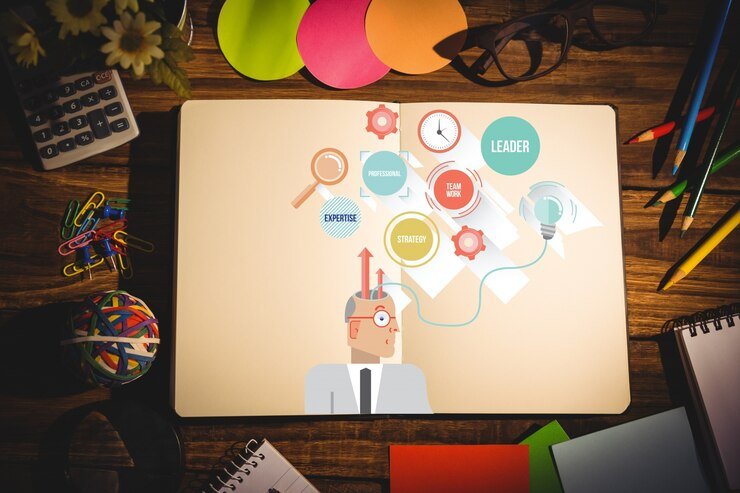
Mind mapping, by definition, is a graphical method of visualising the connections between pieces of information and ideas. A mind map is a visual diagram used to organise information. It is becoming increasingly popular as a quick and effective method of capturing and even reporting back information. The benefits of mind mapping are:
Easy to understand
Mind mapping uses a non-linear information structure quite different to a linear text format. It uses a two-dimensional structure which makes information more relatable and often easier to comprehend.
All on one page
Mind maps gather information and fit it onto one single page. As long as you think through the segregation of information a mind map will connect and organise data for you on a map that can eventually display a record of meeting discussions.
Fact
MI6 spies are trained to use a form of mental illustration, like mind mapping, to remember up to 100 pieces of information without writing it down.
Source: The Independent
Activity 2: Map Your Mind!
Estimated time: 15 minutes+
Using mind mapping can be an excellent way to speed up how you record information or even plan agendas.
However, it can take time to learn how to put your mind to this creative challenge:
Listen to a podcast or watch a short factual video and use a mind map to capture information
Put the central theme of the information in the centre and allow ideas to spiral out and join
This can be done by hand using pen and paper or using freely available software
If you are a visual or kinaesthetic person you may find this method much more suitable for keeping track of information during meetings; it can help you to follow tangents and focus on key points.
4.5 Editing and Proofreading

As you become intimately involved with the consumption and communication of information from a meeting you will naturally start to 'learn' it. This is great from a subject expertise perspective, but can be a proofreading disaster. As you become more familiar with your own words you will naturally find it harder to see mistakes in the work - we read what we intended rather than what is actually there. Learning to effectively proofread your own work is key to outputting quality documents. Sadly, people focus on criticism over praise and sending out a document with a few spelling or formatting mistakes will get you much more feedback than if it was perfect. Avoid embarrassment and unnecessary critique by increasing the quality of your document before sending it out.
Editing versus proofreading
Many people confuse these two ideas as a single task, in fact they are very different. Editing is essentially improving the text, while proofreading is removing mistakes.
Here are some areas to focus on while editing:
The logical flow of information - do the words create an understandable story?
Is the information coherent and consistent - do facts and date ties up and is there a unified message?
Is the information clearly expressed - is the meaning obvious and without confusion?
Is the tone of information correct - is the text the correct formality or seriousness?
Is the purpose clear - does each sentence add something meaningful to the text?
Is the text targeted to the reader - is there sufficient background to ensure the meaning is understood?
Focused quality content
Ensure every word and sentence adds value is an excellent way of focusing content:
Lead each paragraph with a simple sentence which conveys the purpose of the paragraph.
Limit paragraphs to a single idea expressed in a few short sentences
Use subheadings and alternative formatting to create divisions of information
Connect ideas with transitional words ('however', 'thus', 'therefore', 'as a result', 'in this way', 'furthermore', 'above all' and 'moreover')
Use a variety or vocabulary and avoid using the same words repeatedly
Remove filler words such as 'actually' and 'basically' and 'as has already been.....”
Reword or remove colloquialisms, slang, jargon and clichés
Use evidence to back up statements, for example documents shared during the meeting
Maintain a positive and professional tone
4.6 Proofreading

You need to be able to concentrate on the language and layout of the text, once the content has been edited. This is why they are separate processes, which need time between them. At this stage you should be removing small errors after the document content is finished. This should be done before approval, but can also be done before sending it out for review.
Pay special attention to the following:
Spelling: use a spell check and ensure it is set to the correct language (e.g. British versus American English)
Typography: the use of bold, CAPS, italics and specific fonts, sizes and colours have different meanings; be consistent
Grammar: pay close attention to punctuation and use of language (use built in grammar checkers or online services)
Style and format: titles, headers, fonts etc.
Get your grammar!
Here are some common issues with language which you can look out for:
Tense agreement: mixing up past and present tense
Subject and verb agreement: mixing of singular and plural verb endings “3 out of 10 people ARE.......”
Pronoun and case agreement: make the subject and object of the sentence clear
Confusing similar words, for example 'affect'(make a difference) and 'effect' (a change)
Use of apostrophe with 's' (do not use for plural, only to indicate possession)
Conjugation of modal verbs ('would of' instead of 'would have')
Words with similar spelling or sound but different meaning (and often confuse spell checkers): they're/their/there and where/were/we're
Typography trouble
Here are the top trouble makers to look out for with your typography:
Double spaces between characters, e.g. after a full stop
Missing headings or titles in a table, or captions for figures
Alignment issues with columns or rows in a table
Margins which are too wide or narrow
Problems with references or hyperlinks
Missing page numbering or footer
Inconsistent formatting, e.g. different bullets use or mixed numbering systems
Capitalisation wrong or missing for headings (capitalise each word)
Incorrect use or trademarks or tradenames
Incorrect spelling of personal names and titles
Missing dates or multiple formats used
Inconsistent abbreviations or lack of a key for commonly abbreviated terms
4.7 How to Improve Your Proofreading

Use a printed copy or alternative device It is easier to spot mistakes when looking at information in a different format. Accessing different parts of your brain with hand eye co-ordination and different sensory input from touching the words is also an excellent way to increase the focused attention allocated by your brain. Working on paper is also less distracting, there are no 'desktop notifications' to fly past your eye.
Take a break
Leave the document overnight before attempting to proof it or you will simply be remembering what you have written.
Read out loud
Often when you process information differently, in this cause audibly, mistakes are more apparent. Sentence flow, structure and choice of words also stand out more when spoken out loud.
Use a checklist
What your personal common errors are, what formatting must be done (page numbering, figures, references, footnotes), what process will you follow.
Get help
If the quality required is high, for formal meetings it is advisable to get a second pair of eyes to review the document. Enlist the help of a colleague who has an eye for detail and language to proofread them for you.
Activity 3: Create Your Checklist
Estimated time: 15 minutes +
Being an impeccable employee who goes above and beyond is one of the top traits looked for when hiring. Fortunately, this ability is not only an attitude but also can be learned from using a set of tools designed to help you. Becoming proficient in your role includes looking for ways to improve quality at every step. Make a checklist for a real or imaginary meeting you will take the minutes for Create several sections for before, during and after the meeting
What needs to take place at each stage?
What details are important (for example, naming conventions)
Take note of the proofreading and formatting requirements
Checklists are an invaluable way of ensuring you do a job well and learn from mistakes. They are dynamic documents which help you remember details you would otherwise forget and ensure you improve the process, adding new steps and data which improve consistency and quality.
4.8 Approval Processes

Depending on the type of organisation and meeting administration, the process for approving minutes will vary significantly. Typically the document is agreed by the attendees and Chair then some process is followed for management ratification if required for formal sign-off (physically or digitally). This process must be documented as part of the meeting procedural documents to ensure the process is known and can be followed.
On some occasions you will need approval from the Chairperson before sending out the minutes to attendees. Different organisations have different methods of signing off minutes, but the bottom line is there's a channel of approval that needs to be followed. Once it is approved, the Chair and minute taker need to sign against the document. Signing is a method to confirm that the minutes have been reviewed and officially approved - minutes are legally binding documents, which means signatures play a very important role in validating them.
Distribution
There needs to be either active or passive distribution of the minutes. Active would be providing the document to people directly and asking for action; passive would be simply putting it in a known location for access. The minutes may also be sent to people who have not attended the meeting. There are a wide variety of technology aids and mechanisms for sharing documents. Email and file sharing systems are the most-popular methods but collaborative working practices differ greatly between organisations. Systems often protect documents with version control and access permissions which secure confidential or classified information.
Filing and archiving
One of the final steps is the filing and archiving of minutes in a system that makes the retrieval of the minutes easy. Use descriptive folders and filenames and use relevant subfolders to organise the minutes.
For instance:
You can create a folder for each department and then create relevant subfolders within each folder.
Make sure to back up your data and ensure it meets company retention standards.
Assignment
During And After The Meeting
Time: 30+ minutes
Hopefully, you took in as much of the information in this module as possible. To find out how well you have done, complete the following worksheet.
Module Summary
This module deals with the tasks and responsibilities of a minute taker during and after the meeting. We investigated some of the dos and don'ts for both during and after the meeting. We also learned how to identify key points while note taking and offered some tips on how to be efficient. During the meeting, maintaining focus and actively capturing information is key while after the meeting, maintaining energy and getting the minutes written while still fresh is the priority. We walked through the processes of drafting, commenting, editing and approving the minutes including the wide variation in formal approval processes. We briefly looked at mind mapping as a way of capturing information in a concise and semi- graphical format for capturing information. Collecting sufficient information underpins your ability to report back with sufficient context and background information to ensure the minutes make sense to non-attendees. The next topics were editing and proofreading, and you received some practical ways to improve your own document quality by looking for and resolving key editing and proofreading issues. You were also invited to improve quality and consistency further with your own checklists which focus on your needs and those of specific meetings. Finally, document approval was covered, and the need to comply with company standards is key to this legal and regulatory process.
.svg)



