
3.1 Introduction

The preparation stage lays the foundation of the meeting and significantly influences its success. Quality preparation saves a lot of time and ensures the goals of the meeting are addressed. Reducing meeting wastage - time lost in pointless discussion and people who mentally wander off (as they know they are not really needed) - should be a key priority for everyone involved. Time is a precious resource which when properly planned and managed can be significantly stretched to achieve more with less effort.
Fact
UK businesses waste £750 million each year in poor time management: 2 hours per day per employee is wasted.
Source: DPG Plc UK
3.2 Choosing Technology

Any discussion may require minutes, from formal conferences to two colleagues agreeing some actions while chatting in the lift. The selection of appropriate technology for the formal and informal requirements can increase efficiency and accuracy and prevent overload of the wrong types of information.
As a reminder, minutes need to:
Record items raised and agreed upon
Create an accountable record of actions
Provide a reminder of what was discussed in the previous meeting
Some software development meetings, in a style known as Agile, are carried out standing up and with very brief discussions which are recorded in a shared notebook or flipchart. Each attendee updates the team on their progress, obstacles, help needed and a few other key subjects. The minute taking requirements for this style of meeting are naturally completely different from a board meeting. The technology, of flipchart and pens, is sufficient for this fast paced meeting. If all you need to take minutes is a pencil and a notepad this may be entirely sufficient for your needs and preferences. You could also choose to be supported by technology for various parts of the role depending on its requirements. It is up to you to find what works best for you and for your role.
Do not assume there is one best way to do something; personal preferences being met will do a lot to improve your own efficiency and enjoyment. If you love technology then use it as much as you can to support you. If you hate it then find the minimum level of interaction which works for you to meet the company objectives - there are always multiple ways to achieve everything, do not let yourself get stuck in a specific routine or method which does not suit your unique talents and gifts.
Audio/video
Audio and video recorders are useful when the contribution of each member (exact words spoken) is required. You may prefer the confidence of knowing you can check back if required. This can be especially useful in telephone or virtual meetings where there are lots of people speaking and the quality is low. The Chair of the meeting should be informed beforehand if recording audio is your preferred technology for taking minutes to confirm this is ok. Also, some people feel uneasy being recorded as they participate in meetings and their needs should also be considered.
Laptop or computer
This is perhaps the most preferred tool for minute taking. Many people find typing quicker or easier than hand writing or using shorthand. Depending on your typing speed, typing notes may be a quicker and cleaner method of capturing information. Often you can type rough notes with abbreviations and references to other information quickly enough during a meeting even if your typing is not super-fast. After the meeting, some processing will usually be required to format the document and make it easier to read and in the correct formality of language. If you choose to use a computer to take notes during the meeting, ensure you have sufficient power and a paper or tablet backup option in case of technology failure.
Smartphone/tablet
If you enjoy using gadgets such as smartphones and tablets, by all means, go ahead. The beauty of smartphones and tablets is they are readily available. These gadgets are highly portable yet still offer the advantages and features of a laptop. Many people find the touch screens smooth and less tedious than typing or using shorthand. You can also use them to record meetings carried out on paper with flipcharts or whiteboards. Taking a quality phone image of physical meeting notes is becoming a more popular and efficient way of saving and sharing information. Like with laptops and computers, phones and tablets can fail you! Ensure you know your way around the hardware and software and carry some backup power you know you can plug in if needed.
Pen and paper
We may be living in the days of technological advancement, but there is a huge amount of creativity and visual expression in being able to use pens on walls, paper, boards and more. If your Chair needs the meeting to inspire and enthuse then they can stimulate the creative parts of the brain by getting people hands on. Recording notes, agreements, actions and more on a physical medium that the whole room can see is an excellent way of keeping the focus and flow while ensuring agreement. The minutes virtually write themselves as they are assembled and nurtured during the meeting. Just ensure the physical capture is legible and organised.
For example:
Multiple pages or boards to capture specific information, e.g. 'Actions', 'Decisions', 'Questions', etc. Take pictures of white boards and also use personal note taking to get any additional detail needed.
3.3 Meeting Software

There is specific software and some services available which can aid minute or note taking. Depending on your personal and professional requirements these may aid you generally in your administration and organisation of information. Ideally having technology optimised to increase your personal performance would be used throughout your personal and professional life. Find technology which works for you and you can get very confident in allowing it to support, not dominate, your life. This can really take some of the pressure off work which requires a very high level of focus and concentration.
Here are some options to consider, but you also need to work out what your requirements are:
Minutes.io
This is an open source app that gives you easy to use templates for any meeting. The templates ensure you do not miss the important segments like attendees, discussions, action items, etc. These templates can be as simple or as complex as you need them to be. Once you are done, you can save the notes on a secret URL which you share via email.
Microsoft OneNote
This is Microsoft's premier note taking tool. You can use it to manage meetings, notes, and minutes much the same way students use it for taking notes in class. They also have an Android, Windows and iOS app so you can access your notes using any smartphone. OneNote is a commercial package which you can buy together with Microsoft Office.
Meetings.gs
This is a fast and efficient tool for ensuring all your meeting attendees are on the same page. This app does more than just manage minutes - it also manages meeting invitations and the responses. Once you sign up, it creates a custom page where all your minutes, notes and other attachments will be saved.
After the meeting
This tool reduces the number of status updates needed once the meeting is over. It does this by organising all action items and does follow-up with the respective persons. It is a great way of noting down what was discussed, creating the agenda and then keeping track of assigned tasks.
Activity 1: Technology Menu
Estimated time: 10 minutes
To work out if you or your role could be supported by technology you first need to know what you want. Choosing technology can often seem overwhelming, it is like walking into a restaurant without a menu and being told you can have anything - which can make the mind simply go blank! Spending a few minutes thinking about:
What kind of technology do you enjoy and why?
What technology do you get frustrated with and why?
What aspects of minute taking could you use technology for?
What areas are currently inefficient or not working?
How else do you manage information and projects in your life?
Which devices or technology could coordinate your information needs?
Which software might help you collect, share and approve minutes as per your needs?
Based on these questions write out a technology menu: “I would like technology that..........” Include the following:
Features (what is does)
Simplicity (how easily it works)
Method of access (which devices you can get it on)
Functions (what things it can do, e.g. capture actions and record status)
Users (who can access it and how information is shared)
Once you know what you want and need you are in a much better position to find it!
3.4 Determining the Content

Here are a few items to consider when writing the minutes.
Determining the correct level for each of these is done by checking or reviewing previous minutes.
Reviewing the minutes of previous meetings is a high priority for a new minute taker, taking on an existing role, and is a key part of the preparation for any meeting.
Jargon
Different organisations use different language styles to convey their message. Also, some individuals have a good command over the language or subject matter and use more jargon, or specialist words, than others. Many organisations have special abbreviations they use to refer to departments, groups, roles, committees, policies or other key functions. The jargon used is just what the specialists in the meeting find normal in their line of work. When writing minutes pay close attention to the jargon used and explain terms and abbreviations in the notes or at the end of the document in a short glossary.
Amount of detail
The level of information needed is applicable to the type and formality of the meeting. This applies to various different types of content within the minutes: introductions, action plans, summaries, AOBs and so forth. Going through previous minutes, for this specific meeting or a similar one, will give you a feel for what should be included and at what level of information specificity. This will help you anticipate what is expected of you, aiding preparation and planning.
The purpose of the meeting
Understanding the goals of the current and previous meetings will determine multiple factors in the requirements for the minutes. Specifically recording the goals or objectives serves as a reminder to the attendees and to those who were absent, giving them a better understanding of the intention of the meeting.
Review of actions
Recording actions is a key part of minute taking, but chasing them up is an even more vital part of the role. Typically the person recording the actions should take some role in determining their status before the meeting. A lot of time can be wasted during meetings simply talking through actions which have not been done. A more pro-active approach would be to create a separate actions document (such as a spreadsheet or actions tracking/project management system). Reminding people of actions and due dates before the meeting often prompts action so people come along with positive news and updates rather than stagnant issues.
For actions which have not progressed, or are well overdue, these should be brought to the Chair's attention in case specific action is required. Naming and shaming not completed actions is not an ideal approach unless the atmosphere is very informal and friendly. Personal interventions and discussions are usually better.
Organisation of the minutes
Pay attention to how previous and current minuted documents are organised. Notice the font used, the punctuation, use of tables, graphs, pie charts, bullet points, headings and so forth. Familiarising yourself with the structure of the minutes gives you an idea of what has been used before. Some simple formatting and the use of well thought out headings can make a massive difference to readability.
Verbal walkthrough
Some meetings will benefit from a very brief review of the previous meeting to act as a reminder and a focus on the goals of the current meeting. This can be undertaken by either the Chair or minute taker. You can help meeting attendees by bringing them up to speed on what happened during the previous meeting.
Activity 2: What is Normal?
Estimate time: 15 minutes+
Different organisations use different language styles, contents, detail, methods and formality which also vary by meeting.
Describe five different types of meetings within your organisation (or an imaginary one)
What are their requirements for minutes and actions?
Is the current process meeting the needs of each meeting type?
Are there any opportunities for improvement?
There really is no 'right and wrong', only requirements and needs which are met effectively or not! Thinking about the individual and collective needs and addressing them with the most suitable methods will naturally create efficiency. Be inspired to question the status quo; free and innovative thinking from a fresh pair of eyes can save millions!
3.5 Meeting Agendas
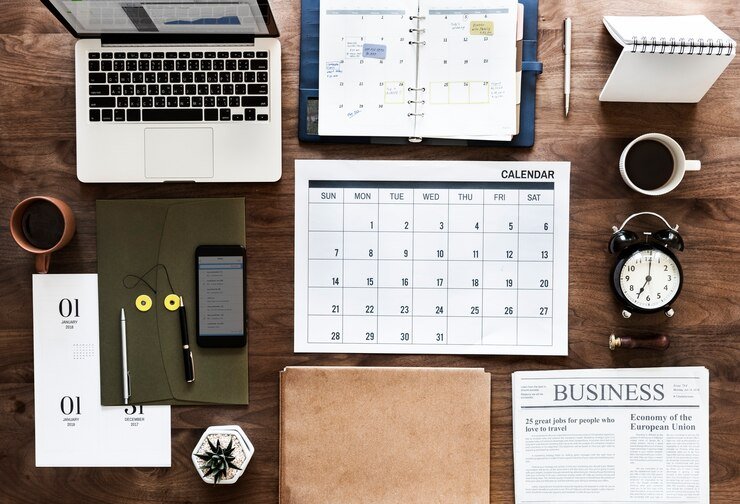
The Agenda is essentially the goal of the meeting broken down into smaller, easy-to-digest pieces. The agenda, for an informal meeting, is a list of all the items to be discussed by members during the meeting. An agenda for a more formal, or longer, meeting will naturally be much more detailed.
Purpose of the Agenda:
Permits enough consideration time for multiple subjects
Prevents digression onto topics of less significance or priority
Keeps the entire meeting focused on one topic at a time
Helps keep balance and satisfaction in the organisation by ensuring that all the needs of members are met
When circulated between meetings it improves intercommunication among meeting members
Gives members an opportunity to decide whether they need to attend the meeting
When the agenda is distributed to members before the meeting, it gives them time to prepare and contribute actively and effectively during the meeting
It creates a respectful, mindful, planned and prepared climate during the meeting
Creating a meeting agenda
Creation of the agenda may or may not be part of the minute taking role. Getting involved in the agenda creation will often ultimately reduce effort, as setting a suitable agenda is the foundation for a successfully minuted meeting.
Stages in agenda preparation are detailed below.
Collect all the items that need to be covered
You can gather these from different sources, including: the Chair; your own assessment of business items, from previous meetings that still need attention; proposals from other members; requests from other groups or department; repeating agenda items. It is a great opportunity to include the other meeting members when you are creating the agenda.
This will ensure diversity of ideas, and will improve commitment and prevent unexpected surprises with urgent topics or discussions which needed preparation.
Understand and prioritise topics
Rarely can you accommodate all topics in the allocated time period. With the Chair, review all the possible items to be covered during the meeting. Where possible list what needs to be covered, the discussion needed and decisions needed. This will help you both work out how much time is needed. Some topics may be sufficiently big to require their own meeting or sub-meeting with a smaller or more relevant group of attendees. Understanding the topic and its need will help you estimate the amount of time each item will need on the agenda.
Allocate time slots
The longer people are seated, the more diffuse and less focused their attention. Keep the meeting short but realistic; split it into multiple focused meetings if needed. Be wary of over allocating time - speakers will naturally fill all the time allocated. Brief time slots of 10 to 15 minutes are usually sufficient for presenting an idea, discussing it and coming to some conclusions.
For larger, more complex topics, 20 to 30 minutes may be needed, but this should be broken into smaller sub-tasks such as “Present problem”, “Review feedback”, “Discuss budget”, etc. Adding structure will increase efficiency and improve use of time.
Activity 3: Create Your Agenda
Estimated time: 15 minutes
Imagine you have been tasked with preparing for a meeting to resolve organisational issues:
How would you go about preparing the agenda?
Who would you ask for contributions?
Who would need to be at the meeting?
What precedents or other data would support the meeting?
How would you prepare with the Chair?
What actions would be needed before and during the meeting?
What items would be on the agenda and what priority would they have?
How much time would be needed for each item?
How would you ensure the efficiency of the minute taking?
How would you follow up after the meeting?
Planning for a successful meeting, even imaginary ones, allows you to calmly think through the entire process and create successful outputs which meet the needs of the meeting.
3.6 Communication with the Chair

The Chair is the driver of the meeting.
As the allocated head of the meeting, or facilitator, all decisions, plans, questions and concerns about the meeting should pass through them before the meeting commences. You cannot work alone if you want success during the meeting. Ideally sit down with the Chair and go through some of the following together.
Items to be discussed
After collating and drafting the agenda (detailing items requested for discussion during the meeting) the Chair is responsible for approving the draft before it is formally shared with the members. Alternatively, if the Chair authored the agenda, it is a good opportunity to familiarise yourself with the decisions and strategy.
Speakers
Be aware of any guests attending the meeting, including what they are going to discuss and the timelines. This also applies to any special in-house speaker who is scheduled to take part in a specific aspect of the meeting. Speak with the Chair to ensure the planning of guests anticipates all needs for timing, flexibility, expertise etc.
Meeting nature
There are many different styles of meeting, so ensure you agree with the Chair what the meeting should be like with regards formality and any specific provisions required, e.g. snacks.
Signals
As the meeting progresses, some instances call for signalling between the Chair and the minute taker.
For example:
If something important has been said, the Chair may ask for it to be specifically captured, or conversely the Chair may wish for some items to be off the record.
Mental preparation
Speaking with the Chair can reduce the unpredictability of note-taking. When you know how the meeting will be conducted, it is easier to organise how to take notes. You can predict the standard to be used and ensure time is used effectively to create an environment conducive to recording clear and concise minutes using the timeframe available for you.
Take a Quick Recap Test
[viralQuiz id=423]
3.7 Calm Anticipation
.jpg)
Arriving late to a meeting will cause fluster and panic and is not professionally acceptable if you have a role in the success of the meeting. You need to take time to check the venue, get technology ready, potentially distribute paper copies, and attend to other administrative duties. Arrive early and have a few spare minutes to re-read the last set of notes, familiarise yourself with the actions and agenda and generally get mentally prepared.
Here are some other crucial things you need to check up on before the meeting starts.
Your recording device
If you choose an audio or video recorder as your preferred method of capturing information, there is a need to confirm if all is set and ready for the activity of taking minutes. You need to confirm that the microphone volume level is correct and ensure you have enough power supply.
Bring extra materials
Aside from any recording material in your possession it is wise to add a few others you or other team members will require. These could include sticky notes, pens, highlighters, a pad to be used for note- taking, meeting handouts and other stationery items. Having a 'meeting kit' of useful items will support you and other members in being practically prepared.
Confirm the agenda
You should have a copy of the agenda to guide you in taking minutes. You may also want to carry along a few extra copies in case other members forget to bring them. Even though we are moving to paper free offices most people still benefit from having something physical in front of them to guide focus: paper is less distracting than a smart phone!
The importance of arriving early should be clear - at the point the meeting commences, you should be seated and ready to type, press record or take notes. You should not be causing distractions during the meeting looking for an extension cord for your laptop or a charger for your tablet. Arrive 10 minutes or so before the meeting starts and once you have done your technology checks claim your seat next to or in eye contact with the Chair (this makes it easier to consult with the Chair during the meeting). Alternatively seating with a vantage point over the room is also important: it can allow you to see everyone's face, helping you hear them clearly, and read their facial expressions and emotions.
Fact
Time spent travelling to meetings in the UK is around
£5,000 per person for middle management. 20% of staff resent the time lost to travel.
Source: One Poll
3.8 Introductions
Recording who set what can be useful for adding context to meeting minutes and for some specific actions, such as proposing motions, it is vital. Often there is time at the beginning of meetings for brief introductions and role; such as expressing who the minute taker is and who is representing another group or department.
This is a crucial time to note who is who and where they are seated. Privately noting distinguishing features or facts will help you remember the individuals. Also ensure you introduce yourself and your role and let people know how they can interact with you.
For example:
“I'll be sending out the minutes after this meeting, could all the presenters please send their slides to me and I'll ensure they are distributed.........”
Assignment
Pre-Meeting Preparation
Time: 30+ minutes
Hopefully, you took in as much of the information in this module as possible. To find out how well
you have done, complete the following worksheet.
Module Summary
In this module we spent time looking at pre-meeting preparation. Pre-meeting preparation paves the way for the meeting. If done effectively, committee or board meetings can experience a tremendous level of success. The reverse is also true. We saw how and why a minute taker is in charge of making the preparation: how they can do it alone or enlist a few extra hands. We discussed the importance of reviewing past minutes and we looked at some of the advantages of paying attention to this step during your preparation.
We also talked about the technology to use in taking minutes. When properly selected and appropriately used, technology can make your life easier. We looked at various technologies that make note taking easier and suggested some free and commercial apps that you can use including Microsoft's OneNote. We also looked at hardware like laptops, smartphones, tablets and audio recorders.
The next topic was the process of creating an agenda. We saw that you can take part in the creation of the meeting agenda or just obtain a copy after the Chair has created it. We discussed some of the important steps to follow in obtaining an agenda, including gathering all business items, involving member needs, apportioning time slots and deciding on responsibilities and roles of members during the meeting. We then looked at the importance of speaking to the Chair before the meeting. You will need to agree with the Chair on such things as signalling during meetings, the speakers expected to take part in the meeting, items for discussion and the nature of the meeting (formal or informal). Once you have spoken to the Chair, it is important to arrive at the venue of the meeting early enough to confirm if all is ready.
We finalised this module discussing the process of introductions when the meeting commences. As a minute taker, you need to introduce yourself to the attendees and mark where they are seated or distinguishing features to make it easy to name people and allocate opinions when required.
.svg)



