
Module 3: JavaScript
Goal: By the end of this module, you will have a strong understanding of JavaScript (JS) fundamentals, including variables, data types, functions, DOM manipulation, and event handling.
1. Introduction to JavaScript (10 mins)
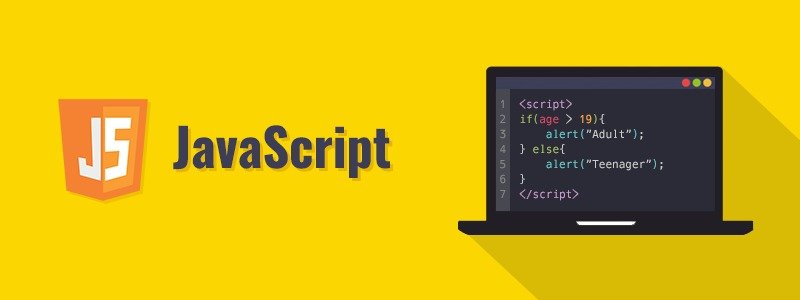
What is JavaScript?
JavaScript (JS) is a programming language used to add interactivity, dynamic behavior, and logic to web pages.
Why Use JavaScript?
✅ Adds interactivity (e.g., buttons, animations, pop-ups)
✅ Validates user input (e.g., checking form fields before submitting)
✅ Manipulates the DOM (e.g., changing content dynamically)
✅ Works with APIs (e.g., fetching live data from a server)
How JavaScript Works in a Webpage
JavaScript runs inside a web browser.
It can be included inline, inside the <script> tag, or as an external file (.js).
2. Ways to Use JavaScript (10 mins)
1️⃣ Inline JavaScript (Inside HTML Elements)

✅ Quick and simple method
❌ Hard to maintain in large projects
2️⃣ Internal JavaScript (Inside <script> Tag in HTML)

✅ Keeps JavaScript separate from HTML elements
❌ Not reusable across multiple pages
3️⃣ External JavaScript (Best Practice - Using a Separate .js File)
JavaScript File (script.js)

HTML File (index.html)

✅ Best for large projects, keeps code organized
❌ Requires an additional file
3. JavaScript Variables & Data Types (15 mins)
Declaring Variables
In JavaScript, variables store data values.
1️⃣ var (Old Way, Avoid Using)

❌ It can be redeclared, causing issues in large programs.
2️⃣ let (Preferred for Block-Scoped Variables)

✅ Allows updating values, but cannot be redeclared in the same block.
3️⃣ const (For Constants - Best Practice)

✅ same as let but cannot be reassigned, ensures more stability.
List Of Data Types in JavaScript

Example: Variables & Data Types

4. JavaScript Operators (5 mins)
Like every programming language js also have different operators to perform the operations
The operators are listed in the table below.

5. Functions in JavaScript (10 mins)
A JavaScript function is a block of organized, reusable code that performs a specific task
1️⃣ Function Declaration

In the above code function is the keyword used to declare a function
greet is the function name which is used later for invoking the function
greet() statement is used to invoke the function
✅ It can be called before being defined.
2️⃣ Function with Parameters

3️⃣ Arrow Functions (Modern JavaScript)

✅ More concise syntax and it does not need a function keyword or function name to declare the function
✅ More concise syntax and introduced in ES6 version of Js
6. DOM Manipulation (15 mins)
The Document Object Model (DOM) allows JavaScript to interact with HTML elements dynamically.
1️⃣ Selecting Elements
Select elements by ID:


Select elements by Class:

Select elements by Tag Name:

2️⃣ Changing Content


The above <p> tag will print the text “Hello, JavaScript!”
3️⃣ Adding Event Listeners


In the above when the user click on the button named “click Me” from the UI the browser will trigger an alert popup window with the message “Button Clicked!”
7. JavaScript Events (5 mins)
Some of the javascript events are listed below

Example: Button Click:


Final Activity: Build an Interactive Web Page
Example (script.js):

HTML (index.html):

Summary
✅ JavaScript adds interactivity to web pages
✅ Variables store data using let and const
✅ Functions perform reusable actions
✅ The DOM allows JavaScript to modify HTML dynamically
✅ Event listeners make web pages interactive
PROJECT USING (HTML, CSS,JS)
QUESTION: Imagine bringing your information to life on the web. Design an interactive page using HTML, CSS, and JavaScript, featuring input fields for Name, Age, and Address. A simple 'Submit' button will then transform these entries, dynamically displaying them in a separate, dedicated section of your creation.
.svg)



